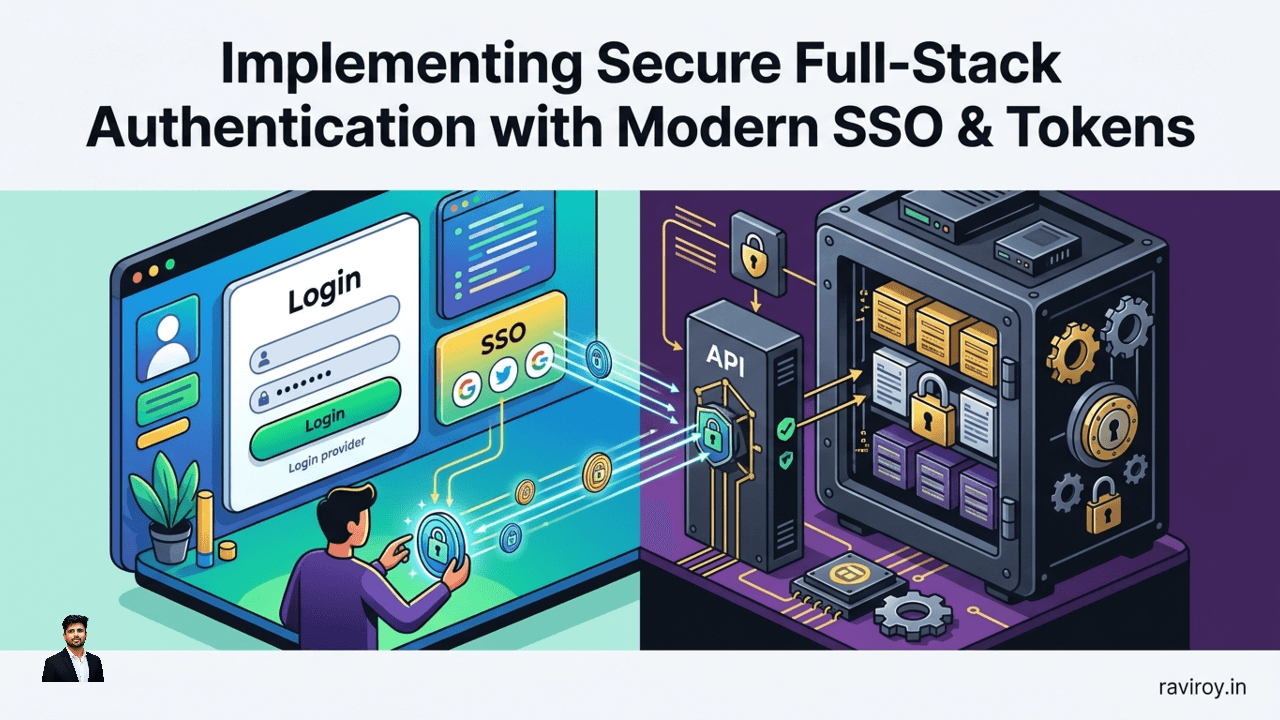
In the complex landscape of modern web and mobile applications, safeguarding user access isn't just a feature—it's the bedrock of trust and functionality. Navigating the intricacies of secure full-stack authentication is paramount for any development team aiming to build robust, scalable, and resilient systems.
What is Full-Stack Authentication and Why it Matters?
Full-stack authentication refers to the comprehensive process of verifying a user's identity and managing their access permissions across all layers of an application, from the client-side interface (frontend) to the server-side logic and data stores (backend). This isn't merely about a login form; it encompasses the entire journey of a user interacting with your digital services, ensuring that every request, every data access, and every interaction is legitimate and authorized.
Modern applications, particularly Single Page Applications (SPAs) and mobile apps, present distinct authentication challenges. The frontend, often a JavaScript framework or native mobile code, needs to securely acquire and manage user credentials or tokens without exposing them to client-side vulnerabilities. Meanwhile, the backend, comprising APIs, microservices, and databases, must reliably validate these credentials or tokens for every incoming request, manage sessions, and protect sensitive data. The disconnect between these layers, if not addressed with a cohesive strategy, can lead to critical security gaps, such as unauthorized data access, session hijacking, and privilege escalation. A well-implemented full-stack authentication strategy not only prevents these vulnerabilities but also ensures a seamless and consistent user experience across different platforms and devices. At its core, modern full-stack security heavily relies on sophisticated Single Sign-On (SSO) mechanisms and robust token management.
Streamlining Access with Modern Single Sign-On (SSO)
Imagine signing into one application and automatically gaining access to all related services without needing to re-enter your credentials. That's the power of Single Sign-On (SSO), a fundamental component of modern authentication that significantly enhances both security and user experience.
The core concept of SSO is simple: authenticate once, gain access to multiple independent applications or services. This centralized approach drastically reduces friction for users and simplifies identity management for organizations.
How SSO Works Across Your Stack
SSO typically relies on established authentication protocols to facilitate secure communication between the user's browser/app, the identity provider (IdP), and the various service providers (SP) or applications.
The most prevalent protocols include:
OpenID Connect (OIDC): Built on top of OAuth 2.0, OIDC is an identity layer that enables clients to verify the identity of the end-user based on the authentication performed by an authorization server, as well as to obtain basic profile information about the end-user in an interoperable and REST-like manner. It's often favored for consumer-facing and mobile applications due to its flexibility with JWTs.
SAML (Security Assertion Markup Language): An XML-based standard primarily used for exchanging authentication and authorization data between an identity provider and a service provider. SAML is widely adopted in enterprise environments for business-to-business (B2B) integrations.
A typical SSO flow involves these steps:
User attempts to access a service provider (SP): The user tries to access an application (e.g., your SaaS product).
Redirection to Identity Provider (IdP): The SP redirects the user's browser/app to the configured IdP (e.g., Okta, Auth0, Google Identity).
User Authentication: The user authenticates with the IdP using their credentials. If already logged in, this step might be skipped (session management).
Consent and Authorization (Optional): The user might be prompted to grant the SP permission to access certain profile information from the IdP.
IdP Issues Token: Upon successful authentication and authorization, the IdP generates an authentication token (e.g., an ID Token in OIDC, or a SAML assertion) containing user identity information.
Redirection Back to SP with Token: The IdP redirects the user's browser/app back to the SP, including the token.
SP Validates Token: The SP receives and cryptographically validates the token with the IdP's public key to ensure its authenticity and integrity.
Session Establishment: Upon successful validation, the SP establishes a local session for the user, granting them access to the requested resources.
This flow effectively centralizes authentication logic at the IdP, allowing SPs to delegate identity verification and focus on their core business logic.
Key Benefits of SSO for Developers and Users
SSO offers significant advantages across the board:
For Security Teams and Developers:
Centralized Authentication and Policy Enforcement: By consolidating authentication, SSO makes it easier to enforce robust security policies like Multi-Factor Authentication (MFA), strong password requirements, and conditional access rules across all applications. This reduces the attack surface by minimizing the number of places where user credentials are stored or handled.
Simplified User Management: Account provisioning, de-provisioning, and role management become more efficient. When a user leaves an organization, disabling their access at the IdP automatically revokes their access to all integrated applications.
Improved Compliance: Centralized logging and auditing of authentication events facilitate easier compliance with regulations like GDPR, HIPAA, and SOC 2, by providing a clear audit trail of who accessed what and when.
Reduced Development Overhead: Developers can integrate existing SSO solutions rather than building custom authentication systems for each application, saving time and reducing the risk of security bugs.
For Users:
Reduced Password Fatigue: Users remember fewer passwords, leading to less frustration and a lower likelihood of reusing weak passwords.
Faster Access: Streamlined login processes mean quicker access to necessary tools and resources, boosting productivity.
Enhanced Security Perception: A consistent and secure login experience builds trust in the application and the organization.
Mastering Token-Based Authentication and Secure Token Management
In distributed systems, traditional session-based authentication often struggles with scalability and state management. This is where token-based authentication shines, providing a stateless, scalable, and secure method for verifying user identity and authorization.
Understanding JWTs: Structure and Purpose
JSON Web Tokens (JWTs) are the de-facto standard for token-based authentication in modern web applications. A JWT is a compact, URL-safe means of representing claims to be transferred between two parties. These claims can be used to transmit information about an entity (the user) and additional data.
A JWT consists of three parts, separated by dots (.):
Header: Contains metadata about the token itself, typically the token type (JWT) and the signing algorithm (e.g., HS256, RS256).
{ "alg": "HS256", "typ": "JWT" }Payload: Contains the "claims" or statements about an entity (usually the user) and additional data. Common claims include
iss(issuer),exp(expiration time),sub(subject, user ID), andaud(audience). You can also include custom claims relevant to your application (e.g., user roles, permissions).{ "sub": "1234567890", "name": "John Doe", "admin": true, "iat": 1516239022, "exp": 1516242622 }Signature: Created by taking the encoded header, the encoded payload, a secret key (or private key for asymmetric algorithms), and signing it using the algorithm specified in the header. The signature is used to verify that the sender of the JWT is who it says it is and to ensure that the message hasn't been tampered with.
HMACSHA256(
  base64UrlEncode(header) + "." +
  base64UrlEncode(payload),
  secret
)
When a user logs in, the authentication server issues a JWT. The client then stores this token and sends it with every subsequent request to protected resources. The server can then validate the token's signature and expiration without needing to query a database, making it highly efficient.
A crucial distinction in token-based systems is between:
Access Tokens: These are short-lived tokens used to access specific resources. They carry the user's authorization claims. If an access token is compromised, its limited lifespan minimizes the window of vulnerability.
Refresh Tokens: These are long-lived tokens primarily used to obtain new access tokens once the current one expires, without requiring the user to re-authenticate. They should be stored with extreme care and are typically validated only by the authentication server.
Implementing Secure Token Storage Strategies
Securely storing tokens on the client-side is one of the most critical aspects of token-based authentication. Mismanaging token storage can lead to severe security breaches.
Recommended Strategies:
Refresh Tokens: Should ideally be stored in HTTP-only cookies.
HTTP-only: JavaScript cannot access these cookies, mitigating XSS attacks.
Secure: Cookies should only be sent over HTTPS.
SameSite=Strict/Lax: Prevents CSRF attacks by ensuring cookies are only sent with requests originating from the same site.
Path: Restrict the cookie to specific paths if necessary.
Expiration: Set an appropriate expiration time aligned with the refresh token's lifecycle.
// Example: Server-side setting of HTTP-only cookie
res.cookie('refreshToken', token, {
    httpOnly: true,
    secure: process.env.NODE_ENV === 'production', // Only over HTTPS in production
    sameSite: 'Lax', // or 'Strict'
    maxAge: 7 * 24 * 60 * 60 * 1000 // 7 days
});
Access Tokens: Being short-lived, access tokens are more safely stored in memory (JavaScript variables) or, for more complex SPAs, within Web Workers.
Memory: When the user closes the tab or browser, the token is gone. This requires re-obtaining an access token (via refresh token) upon reopening, but it's very secure against persistent XSS.
Web Workers: A Web Worker operates in an isolated environment, making it harder for malicious scripts in the main thread to access its contents. Tokens can be stored and managed within the worker, which then communicates securely with the main thread.
Avoid Local Storage and Session Storage for Tokens:
While convenient, localStorage and sessionStorage are highly susceptible to Cross-Site Scripting (XSS) attacks. Any malicious script injected into your page can easily read all data stored in them, including your access and refresh tokens. This risk far outweighs the convenience.
Managing Token Lifecycles (Issuance, Renewal, Revocation)
A well-defined token lifecycle is essential for maintaining security and a smooth user experience.
Issuance: Upon successful primary authentication (username/password, SSO), the authentication server issues both an access token and a refresh token. The access token is immediately used by the client to access protected resources, while the refresh token is securely stored.
Renewal: When an access token expires (which should happen relatively quickly, e.g., 5-15 minutes), the client needs a new one. Instead of forcing the user to re-authenticate, the client sends the refresh token to a dedicated
/refresh-tokenendpoint on the authentication server.The server validates the refresh token (checking its validity, expiration, and if it has been revoked).
If valid, the server issues a new pair of access and refresh tokens (often rotating the refresh token for enhanced security).
The client then updates its stored tokens.
// Example client-side logic for token renewal async function getNewAccessToken() { const response = await fetch('/api/auth/refresh', { method: 'POST', headers: { 'Content-Type': 'application/json', // Refresh token is sent via HTTP-only cookie automatically } }); if (response.ok) { const data = await response.json(); setAccessToken(data.accessToken); // Store in memory // The server would update the HTTP-only refresh token cookie return data.accessToken; } else { // Handle refresh token expiration or invalidation (e.g., logout user) console.error('Failed to refresh token'); logoutUser(); return null; } }Revocation: Revoking tokens is critical for security, especially when a user logs out, changes their password, or if a token is suspected of compromise.
Refresh Token Revocation: When a user logs out, the client should send a request to the server to explicitly revoke their refresh token. The server marks the refresh token as invalid in a database or distributed cache. Subsequent attempts to use that refresh token will fail. This is especially important for persistent sessions.
Access Token Revocation: Since access tokens are stateless and self-validating (their validity is checked by their signature and expiration), immediate revocation is harder. For immediate invalidation (e.g., after a password change or logout), a "blacklist" or "denylist" approach can be used on the server side, where revoked access tokens are stored for their remaining lifespan, preventing their use. However, for short-lived access tokens, simply letting them expire is often sufficient.
Embracing Passwordless and Adaptive Authentication
The traditional username-password model, while pervasive, is a significant source of vulnerabilities and user frustration. Modern authentication paradigms are shifting towards more secure and user-friendly alternatives: passwordless and adaptive authentication.
Integrating Passkeys and FIDO Standards
Passwordless authentication eliminates the need for users to create, remember, or type passwords. This dramatically reduces phishing risks, credential stuffing attacks, and improves the user experience.
Passkeys, built on FIDO (Fast Identity Online) standards, represent a major leap forward in passwordless security. Instead of relying on shared secrets (passwords), Passkeys use cryptographic key pairs unique to each user and each service.
How Passkeys (FIDO) work:
Registration: When a user registers for a service, their device (e.g., smartphone, computer with a hardware security key) generates a unique public/private key pair. The public key is registered with the service, while the private key remains securely on the user's device, protected by biometrics (fingerprint, face scan) or a PIN.
Authentication: To log in, the service challenges the user's device. The device uses its private key to cryptographically sign the challenge. The service then verifies this signature using the stored public key. If the signatures match, the user is authenticated.
This process is highly secure because:
The private key never leaves the device.
It's resistant to phishing, as the authentication is tied to the origin of the website.
It's resistant to credential stuffing.
Integrating Passkeys into a full-stack authentication flow:
Frontend: Utilizes WebAuthn API (part of FIDO2) to interact with the user's device authenticator (e.g., Face ID, Touch ID, Windows Hello).
Backend: Manages the storage of public keys and verifies the cryptographic assertions sent from the frontend. This often involves integrating with a FIDO server or an identity platform that supports FIDO. The flow typically starts with the backend generating a challenge, sending it to the frontend, which passes it to the WebAuthn API. The signed challenge is then sent back to the backend for verification.
Leveraging Adaptive and Continuous Authentication
Security is not a static state; it's an ongoing process. Adaptive authentication and continuous authentication reflect this dynamic approach, adjusting security measures based on real-time risk assessments.
Adaptive Authentication: This method dynamically adjusts the level of authentication required based on contextual factors. For instance:
Location: If a user tries to log in from an unusual geographic location.
Device: If the login attempt comes from an unrecognized device.
Behavior: If the login pattern deviates from typical behavior (e.g., logging in at an unusual time, after multiple failed attempts).
Network: If the connection is from a known risky IP address or anonymizing proxy.
Based on these risk signals, the system might:
Allow access with just a password.
Require an additional MFA step (e.g., OTP via SMS or authenticator app).
Block access entirely and notify the user.
The Role of AI/ML in Risk Assessment: AI and Machine Learning play a crucial role in adaptive authentication by analyzing vast amounts of data to identify anomalous patterns and calculate real-time risk scores. ML models can learn typical user behavior and detect subtle deviations that might indicate a fraudulent attempt.
Continuous Authentication: Takes adaptive authentication a step further by continuously verifying the user's identity throughout their session, rather than just at login. This can involve:
Biometric analysis: Monitoring mouse movements, keystroke dynamics, or even passive facial recognition (with user consent).
Behavioral biometrics: Analyzing how a user interacts with the application.
Session-level context: Re-evaluating risk based on actions performed within the session (e.g., accessing highly sensitive data might trigger a re-authentication prompt).
If a significant anomaly is detected during a session, the system can automatically request re-authentication, step up the security (e.g., an MFA prompt), or even terminate the session.
Full-Stack Authentication Best Practices and Security Considerations
Implementing secure full-stack authentication goes beyond just picking the right protocols; it requires a holistic approach to security throughout the entire development lifecycle.
Securing APIs and Backend Services
Your backend APIs are the gates to your data and logic. Protecting them is paramount.
Input Validation and Sanitization: This is fundamental. ALL input from the frontend or other external sources must be rigorously validated and sanitized on the backend to prevent common attacks like SQL injection, XSS, and command injection. Never trust client-side input.
// Example: Basic input sanitization (using a library like 'express-validator')
const { body, validationResult } = require('express-validator');

app.post('/api/users', [
    body('email').isEmail().normalizeEmail(),
    body('password').isLength({ min: 8 }).trim().escape(), // trim and escape to prevent XSS
], (req, res) => {
    const errors = validationResult(req);
    if (!errors.isEmpty()) {
        return res.status(400).json({ errors: errors.array() });
    }
    // Process valid and sanitized data
    // ...
});
OAuth 2.0 for Authorization: While OIDC handles authentication (who you are), OAuth 2.0 handles authorization (what you can do). Use OAuth 2.0 for granting limited access to client applications on behalf of a user, ensuring that clients only have the permissions they need. Implement proper scope management.
Rate Limiting: Protect against brute-force attacks and denial-of-service (DoS) by limiting the number of requests a user or IP address can make within a given timeframe, especially on authentication endpoints.
Secure Endpoint Design: Use HTTPS for all communications. Implement strong authentication for all API endpoints. Avoid exposing sensitive data through verbose error messages.
Server-Side Session Management: If using traditional sessions alongside tokens (e.g., for hybrid apps), ensure session IDs are securely generated, stored in HTTP-only cookies, and invalidated upon logout or inactivity. Protect against Cross-Site Scripting (XSS) by properly escaping all user-generated content displayed on the frontend. Mitigate Cross-Site Request Forgery (CSRF) by using anti-CSRF tokens for state-changing requests, especially when relying on session cookies.
Compliance and Regulatory Adherence
Handling user data, especially authentication data, comes with significant legal and ethical responsibilities.
GDPR (General Data Protection Regulation): If serving users in the EU, ensure you have explicit consent for data processing, implement data minimization, provide data portability, and have robust breach notification procedures.
CCPA (California Consumer Privacy Act): Similar to GDPR, granting California residents rights over their personal information.
HIPAA (Health Insurance Portability and Accountability Act): For healthcare data, requiring stringent security measures for Protected Health Information (PHI), including strong authentication and access controls.
Audit Logs and Monitoring: Implement comprehensive logging for all authentication-related events (successful logins, failed attempts, password changes, token issuance/revocation). Regularly review these logs for suspicious activity and integrate them with security information and event management (SIEM) systems for real-time threat detection.
Managing Non-Human Identities
Authentication isn't just for human users. Service accounts, APIs, and machine-to-machine communications also need secure identity management.
Service Accounts: Dedicated accounts for applications or services to interact with other services. Grant them the least privileges necessary.
API Keys: While simple, API keys should be treated like passwords. Generate strong, unique keys for each service, restrict their permissions (scopes), and rotate them regularly. Never embed API keys directly in client-side code; use them only on the backend.
Client Credentials Grant (OAuth 2.0): For machine-to-machine communication, where an application needs to access its own resources, use the OAuth 2.0 client credentials grant type. This issues an access token directly to the application.
Managed Identity Solutions: Cloud providers (AWS IAM, Azure AD Managed Identities, GCP Service Accounts) offer managed identity solutions that automatically handle credential rotation and storage for services, reducing the burden on developers.
The Future of Full-Stack Authentication
The landscape of cybersecurity is constantly evolving, and so too must our authentication strategies. The future of secure full-stack authentication promises even greater resilience and user convenience.
Emerging Threats and Post-Quantum Cryptography: As quantum computing advances, current public-key cryptography methods (like RSA and ECC, used in JWTs and TLS) may become vulnerable. Research into post-quantum cryptography (PQC) is critical, and authentication systems will need to adopt new PQC algorithms to ensure long-term security against quantum attacks. Staying abreast of these developments and planning for eventual migration is essential.
Decentralized Identity (DID): This nascent but powerful concept aims to give users full control over their digital identities. Instead of relying on centralized identity providers, DIDs use blockchain or distributed ledger technology to create self-sovereign identities. Users would own and manage their identity data, selectively sharing verifiable credentials with services without revealing unnecessary personal information. This could fundamentally alter how authentication and trust are established online, prioritizing user privacy and control.
AI in Fraud Detection and Personalized Authentication Experiences: AI and machine learning will continue to evolve beyond adaptive authentication. Expect more sophisticated fraud detection capabilities, predicting and preventing attacks with greater accuracy. AI will also drive increasingly personalized authentication experiences, seamlessly verifying identity in the background based on context, behavior, and even subtle biometric cues, making explicit login steps less frequent and less intrusive for legitimate users.
The journey towards truly secure and user-friendly full-stack authentication is ongoing. It demands continuous learning, adaptation to new threats and technologies, and a commitment to best practices.
What's the most challenging aspect of implementing secure full-stack authentication you've encountered, and how did you overcome it?
💬 Join the conversation — share your take in the comments and tell us what you’d add.