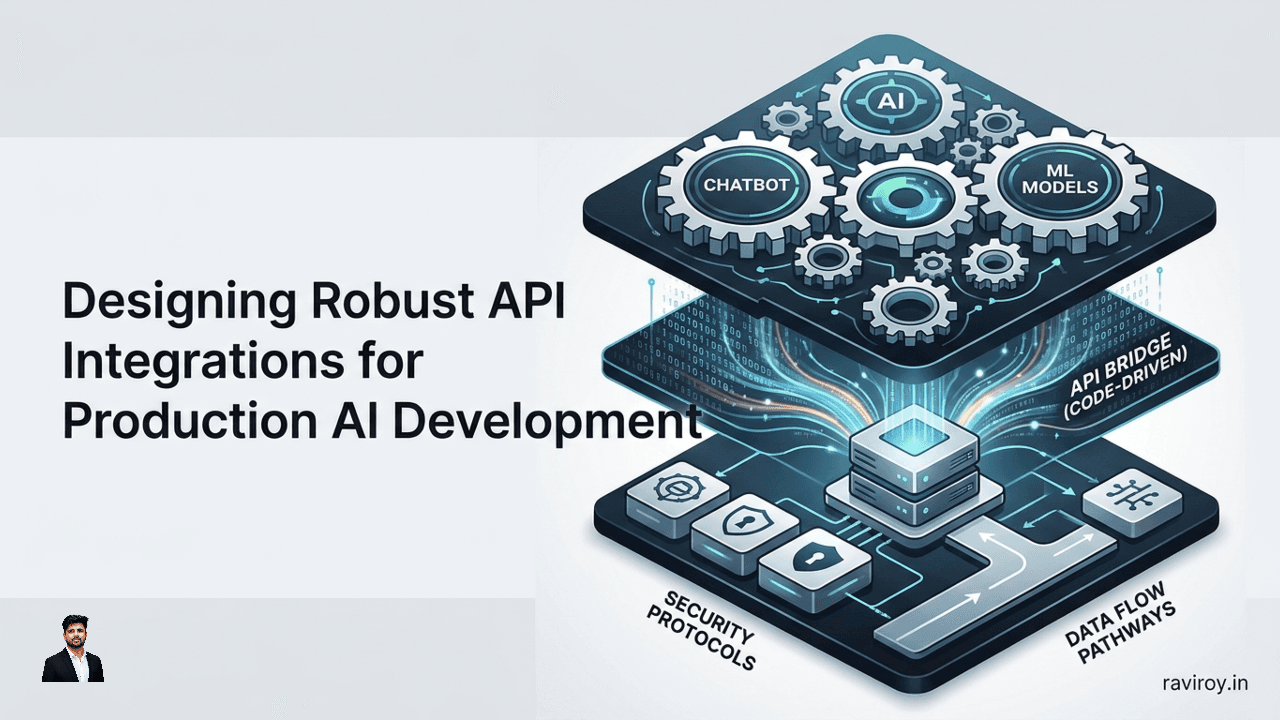
The integration of artificial intelligence into modern applications is no longer a futuristic vision; it's a present-day imperative. From enhancing customer service with advanced chatbots to powering data analysis with sophisticated machine learning models, AI is transforming how software interacts with users and data. But for these AI-powered features to deliver real value, the underlying robust API integrations for production AI development must be meticulously designed and rigorously implemented. This isn't just about making an API call; it's about building a resilient, secure, and performant bridge to the intelligence that drives your application.
The Criticality of Robust API Integrations for Production AI Development
Modern applications increasingly rely on external AI services, from large language models (LLMs) and advanced vision models to specialized speech-to-text engines. These aren't just supplementary features; they are often core components of the user experience and business logic. Think of a content generation platform built on an LLM, an e-commerce site using computer vision for product search, or a customer support system leveraging sentiment analysis. The performance and availability of these external AI services directly dictate the quality and reliability of the end application.
In such a landscape, reliability is non-negotiable. A flaky integration can lead to degraded user experiences, incorrect data processing, and even significant business disruption. Imagine an AI-powered fraud detection system failing due to an unreliable integration, or a customer chatbot providing erroneous information because its underlying LLM call timed out. The implications extend to data integrity, compliance, and ultimately, user trust.
AI APIs introduce unique challenges compared to traditional RESTful services. Their behavior can be dynamic and probabilistic, response times can vary wildly based on model load and complexity of the request, and strict rate limits are common to manage resource consumption. Furthermore, considerations like context window management, token limits, and variable cost structures per request add layers of complexity that demand a specialized approach to integration design. Without robust strategies to handle these nuances, even the most innovative AI features risk crumbling under the pressures of production traffic.
Engineering Resilient AI API Calls: Handling Real-World Failures
Building AI applications for production means anticipating and gracefully handling a multitude of failure scenarios. Resilience is key to ensuring your application remains operational and performs predictably, even when external AI services falter.
Strategic Retry Mechanisms
Transient errors—temporary network glitches, service overloads, or rate limit hits—are an inevitable part of interacting with external APIs. Implementing a smart retry mechanism is crucial. Simple retries aren't enough; you need exponential backoff with jitter. Exponential backoff means waiting increasingly longer periods between retries (e.g., 1s, 2s, 4s, 8s), preventing your application from overwhelming a temporarily struggling service. Jitter introduces a small random delay within each backoff period, preventing a "thundering herd" problem where many clients retry simultaneously at the exact same moment.
Distinguishing between transient (retriable) and permanent (non-retriable) errors is vital. A 429 Too Many Requests or a 503 Service Unavailable might warrant a retry, but a 400 Bad Request or a 401 Unauthorized likely indicates a fundamental issue that retrying won't fix.
For more severe or prolonged outages, consider a circuit breaker pattern. This pattern wraps function calls that might fail, monitoring them for a certain number of failures. If failures exceed a threshold within a set time, the circuit "opens," preventing further calls to the failing service. Instead, it immediately returns an error or a fallback response, saving resources and preventing cascading failures. After a configurable timeout, the circuit enters a "half-open" state, allowing a few test requests to see if the service has recovered before fully closing.
Idempotency for State-Changing Operations
Idempotency ensures that multiple identical requests have the same effect as a single request. This is particularly important for AI operations that involve data persistence or resource allocation, such as generating embeddings that are stored, processing a document that creates a new record, or initiating a long-running AI task. If a network error occurs after a request is sent but before the response is received, an idempotent system allows you to safely retry without creating duplicate data or unintended side effects.
Implement idempotency by including a unique, client-generated idempotency key with each request. The AI service (or your integration layer) uses this key to track requests. If it receives a request with a key it has already processed, it will simply return the original result without executing the operation again.
// Conceptual example for an embeddings generation call with an idempotency key
function generateEmbeddings(text, idempotencyKey) {
  const requestBody = {
    text: text,
    idempotency_key: idempotencyKey
  };
  // Send request to AI API
  // Handle response or retry
}
Managing Rate Limits and Concurrency
AI APIs often impose strict rate limits to prevent abuse and ensure fair resource distribution. Ignoring these limits leads to 429 errors and potential IP blocking. Client-side rate limiting techniques are essential. Token bucket and leaky bucket algorithms are common approaches to control the rate of outgoing requests. These ensure your application adheres to the API's specified limits (e.g., X requests per second/minute).
Crucially, always respect the API's Retry-After header if provided in a 429 response. This header explicitly tells you how long to wait before sending another request, overriding any client-side backoff logic. For high-traffic applications, consider distributing requests across multiple API keys or accounts (if the provider allows) to effectively increase your overall rate limit capacity.
Timeouts and Graceful Degradation
Unbounded API calls are a recipe for disaster. Set appropriate connection and read timeouts for all AI API calls. Connection timeouts prevent your application from hanging indefinitely trying to establish a connection, while read timeouts ensure a response is received within a reasonable timeframe once connected. The optimal values depend on the specific AI service, expected latency, and user experience requirements. Too short, and you'll prematurely abort valid requests; too long, and your users will face frustrating delays.
Even with robust retry mechanisms, some failures are unrecoverable or prolonged. In such cases, graceful degradation is paramount. This involves providing alternative functionality or informing the user without completely breaking the application:
Caching: Serve a cached, slightly stale response if the AI service is unavailable for non-critical requests.
Simpler Local Models: Fall back to a smaller, less capable local model for basic functionality if the cloud-based LLM is down.
Default Responses: Provide a generic, safe default response (e.g., "Sorry, I can't process your request right now. Please try again later.")
User Notification: Clearly communicate the issue to the user, managing expectations and preventing frustration.
Navigating AI Integration Patterns: From Direct Calls to Unified Layers
Choosing the right integration pattern significantly impacts scalability, flexibility, and maintainability of your AI applications.
Direct API Calls: Simplicity and Control
For many initial AI integrations, direct API calls are the simplest approach. Your application code directly interacts with the AI service's API endpoints.
Pros:
Simplicity: Easy to set up for single-model, single-vendor scenarios.
Full Control: Direct access to all vendor-specific features and parameters.
Minimal Overhead: No intermediate layers introduce latency or complexity.
Best Suited For:
Applications with minimal AI integrations.
Projects requiring very specific, vendor-locked features.
High-performance scenarios where every millisecond of latency counts and intermediate layers are undesirable.
Unified API Layers: Abstraction for Flexibility
As your AI adoption grows and you consider multi-LLM strategies (e.g., using GPT-4 for creative tasks, Claude for summarization, and a fine-tuned open-source model for specific domain knowledge), a unified API layer becomes invaluable. This layer abstracts away vendor-specific differences, providing a common interface for interacting with various AI models.
Benefits:
Seamless Model Switching: Easily swap models or providers without extensive code changes in your application.
Centralized Management: Consolidate rate limiting, caching, logging, and security policies in one place.
Cost Optimization: Route requests to the most cost-effective model based on task or user.
Reduced Vendor Lock-in: Future-proofs your application against changes in the AI landscape.
Model-as-a-Service Orchestration Platforms (MCP)
Beyond simple abstraction, Model-as-a-Service Orchestration Platforms (MCPs) like LangChain or LlamaIndex provide a higher level of functionality. They act as a standard for governed context access and tool discovery for AI agents, allowing you to chain multiple models, integrate with external tools (databases, search engines, APIs), and manage complex conversational flows. MCPs are excellent for building sophisticated AI agents that need to perform multi-step reasoning, access diverse data sources, and interact with the outside world.
Event-Driven Integrations with Webhooks
For asynchronous AI workflows or tasks that require significant processing time, event-driven integrations with webhooks are highly effective. Instead of polling an API endpoint repeatedly for a result, your application makes an initial request, and the AI service sends a notification (a webhook) to a specified callback URL when the task is complete or an event occurs.
Advantages:
Reduced Polling: Saves resources for both your application and the AI service.
Real-time Feedback: Enables immediate reaction to AI-generated events.
Scalability: Better suited for handling high volumes of asynchronous processing.
Use Cases: Document processing, video analysis, long-running batch inference jobs.
Decision Framework: To choose the right pattern, consider:
Application Maturity: New projects might start with direct calls; mature systems benefit from abstraction.
Integration Count: More integrations lean towards unified layers.
Governance Needs: MCPs offer more control for complex agentic workflows.
Latency Requirements: Direct calls often offer lowest latency for synchronous tasks; webhooks are best for asynchronous.
Future Flexibility: How likely are you to switch models or add new ones?
Comprehensive Observability for Production AI Workloads
You can't fix what you can't see. Robust observability is fundamental for understanding the behavior, performance, and cost of your AI integrations in production.
Structured Logging and Request Tracing
For every interaction with an AI API, detailed structured logging is essential. Capture critical data points:
request_id: A unique identifier for the entire request lifecycle, enabling end-to-end tracing.model_id: Which specific AI model was used (e.g.,gpt-4-turbo-2024-04-09,claude-3-opus).prompt: The input provided to the model (redacted if sensitive).response: The model's output (redacted if sensitive).latency_ms: Time taken for the API call.status_code: HTTP status code of the response.token_usage: Input, output, and total token counts.cost_estimate: Estimated cost for the interaction.feature_name: The application feature triggering the AI call.
Example log entry (conceptual):
{
  "timestamp": "2024-07-26T10:30:00Z",
  "level": "INFO",
  "service": "ai-integrator",
  "request_id": "abc-123-def",
  "user_id": "user-456",
  "model_id": "gpt-4-turbo",
  "feature_name": "content_summarizer",
  "prompt_hash": "a1b2c3d4e5", // Hashed prompt for non-sensitive logging
  "output_truncated": "The summary of the document...",
  "latency_ms": 1500,
  "status_code": 200,
  "tokens_input": 500,
  "tokens_output": 150,
  "cost_usd": 0.005
}
Ensure a consistent request_id propagates across all services involved in a user interaction, enabling full request tracing to diagnose issues quickly. Crucially, implement data redaction for any sensitive information (PII, PHI, proprietary data) before logging prompts or responses, especially when sending logs to third-party services.
Monitoring Key Performance Indicators (KPIs)
Establish clear KPIs to continuously monitor the health and performance of your AI integrations:
Latency: Track average, p90, and p99 latencies to identify bottlenecks and regressions.
Error Rates: Monitor percentage of 4xx and 5xx errors; sudden spikes indicate issues.
Throughput: Requests per second/minute to understand load and capacity.
Token/Cost Usage: Track per request, per user, or per feature to manage budget and identify unexpected cost drivers.
Beyond technical metrics, monitor model output quality. This can be done through:
Automated Evaluations: Compare model outputs against a "gold standard" dataset using metrics like BLEU, ROUGE, or custom evaluation scripts.
Human Feedback Loops: Allow users to rate AI responses (e.g., "helpful" or "not helpful") or integrate human review processes for critical outputs.
Alerting and Anomaly Detection
Proactive alerting is vital. Configure alerts for:
Spikes in Error Rates: Immediately notify on sudden increases in API errors.
Increased Latency: Alert if p90/p99 latency exceeds predefined thresholds.
Cost Overruns: Set budget alerts based on token usage or estimated spend.
Abnormal Token Usage: Detect unexpectedly high (or low) token counts for specific types of requests, which could indicate prompt injection attempts or model drift.
Unexpected Model Behavior: Use monitoring of model output quality or sentiment analysis to detect changes in response tone or accuracy.
Securing and Governing AI API Integrations
Security is paramount when integrating with external AI services, especially given the sensitive nature of data often processed by AI.
Secure API Key and Secret Management
API keys and other secrets (e.g., for vector databases) are the gatekeepers to your AI services. Never hardcode them directly into your application. Instead, follow best practices:
Environment Variables: For local development and simpler deployments.
Secret Managers: Use cloud-native services like AWS Secrets Manager, Google Cloud Secret Manager, or Azure Key Vault for robust, centralized management in production.
Key Management Systems (KMS): For encrypting and managing cryptographic keys that protect your secrets.
Least Privilege Access: Grant AI API credentials only the minimum necessary permissions.
Regular Key Rotation: Periodically rotate API keys to minimize the impact of a potential compromise.
Data Handling, Compliance, and Redaction
The data sent to and received from AI APIs often contains sensitive information.
PII/PHI Redaction: Implement robust mechanisms to identify and redact Personally Identifiable Information (PII) or Protected Health Information (PHI) before sending data to external AI services. This can involve custom regex, libraries like Presidio, or dedicated data masking services.
Data Residency and Privacy: Understand the data residency policies of your AI providers. Does your data leave your geographical region? Is it used for model training? Ensure compliance with relevant regulations like GDPR, HIPAA, CCPA, etc. Document your data flows and maintain audit trails.
Data Minimization: Only send the absolute minimum data required for the AI service to perform its task.
Input/Output Validation and Sanitization
AI systems, particularly LLMs, are susceptible to various attacks.
Input Validation and Sanitization: Crucial to prevent prompt injection attacks, where malicious input manipulates the model's behavior. Sanitize user inputs by removing or escaping special characters, limiting input length, and potentially using allow-lists for expected input patterns.
Output Validation: Always validate model outputs before integrating them into your application logic or displaying them to users. Check for:
Expected Format: Does the output adhere to the JSON schema or structure you expect?
Length Constraints: Is it too long or too short?
Content Safety: Does it contain inappropriate, biased, or harmful content? Use content moderation APIs or internal checks.
Plausibility: Does the output make sense in the context of the request?
Strategic Testing and Deployment for AI Features
AI features introduce unique testing and deployment challenges due to their probabilistic nature. A structured approach is crucial.
Sandbox-First Development and Golden Prompts
Always develop and test AI integrations against dedicated sandbox or staging environments. Never develop directly against production AI endpoints. This prevents unintended costs, protects production data, and allows for isolated experimentation.
Central to AI testing is the concept of "golden prompts." These are carefully curated test cases—specific prompts with their expected, desired outputs. They form a regression suite that ensures model updates or changes in your integration logic don't degrade performance for critical use cases. Automate the execution of these golden prompts and compare the actual output against the expected output, flagging any deviations.
Automated Testing Frameworks
Integrate AI feature testing into your existing automated testing frameworks:
Unit Tests: Test the individual components of your integration logic (e.g., prompt construction, response parsing, error handling). Mock external AI services to ensure tests are fast and deterministic.
Integration Tests: Verify the end-to-end flow from your application to the AI service (using sandbox environments) and back.
Performance Tests: Simulate high load to assess the AI integration's throughput, latency under stress, and ability to handle rate limits.
Progressive Rollouts and Feature Flags
Deploying new AI features should be a cautious, controlled process.
Progressive Rollouts: Strategies like blue-green deployments (running two identical production environments and shifting traffic) or canary releases (gradually rolling out to a small subset of users) allow you to test new AI features with real traffic before a full launch.
Feature Flags: Use feature flags (also known as toggles) to control access to new AI capabilities. This allows you to:
Enable/disable features for specific user segments, regions, or internal teams.
Perform A/B testing on different prompt variations or model versions.
Instantly disable a problematic AI feature in production without redeploying code, serving as a critical safety net.
Rollback Procedures: Define clear, automated rollback procedures to revert to a previous, stable version of your AI feature or application if issues arise post-deployment.
Optimizing Performance and Cost in Production
Efficiently managing the performance and cost of AI integrations is vital for long-term sustainability.
Caching Strategies
For frequently requested or deterministic AI responses, caching can significantly improve performance and reduce costs.
What to Cache: Embeddings for common text chunks, summaries of static documents, or common generative responses (if the output is predictable and not highly personalized).
Cache Invalidation and TTL: Implement smart cache invalidation strategies (e.g., based on source data changes) and set appropriate Time-To-Live (TTL) for cached AI responses to balance freshness and performance.
Prompt Engineering for Efficiency
Your prompts directly impact token usage, which in turn affects latency and cost.
Reduce Token Count: Continuously refine your prompts to be concise and effective, conveying instructions and context using the fewest possible tokens without compromising output quality. Remove unnecessary words or repetitive instructions.
Smaller, Specialized Models: For less complex tasks, leverage smaller, more specialized models that are often faster and significantly cheaper than large, general-purpose LLMs. For instance, a fine-tuned small model might be ideal for classifying specific types of support tickets, while a larger model handles complex creative writing.
Batching Requests: When appropriate and the AI API supports it, batching requests can improve throughput and reduce per-request overhead, especially for embeddings or less time-sensitive generative tasks.
Asynchronous Processing and Streaming
User experience can be significantly enhanced by managing how AI interactions are handled.
Asynchronous Processing: Offload long-running AI tasks (e.g., comprehensive document analysis, video transcription) to background jobs. This prevents blocking the main application thread, keeping the user interface responsive. Notify users upon completion or provide progress updates.
Streaming APIs: Utilize streaming APIs for real-time feedback in user interactions, such as live chatbot responses or content generation. Instead of waiting for the full response, chunks of the AI output are sent as they become available, drastically reducing perceived latency and improving user engagement.
Designing robust API integrations for production AI development is a multifaceted discipline requiring attention to resilience, security, observability, and optimization. By implementing these strategies, you can build AI-powered applications that are not only innovative but also reliable, secure, and cost-effective in the real world.
What's the most surprising or challenging production issue you've encountered with an AI API integration, and how did you resolve it?
💬 Join the conversation — share your take in the comments and tell us what you’d add.