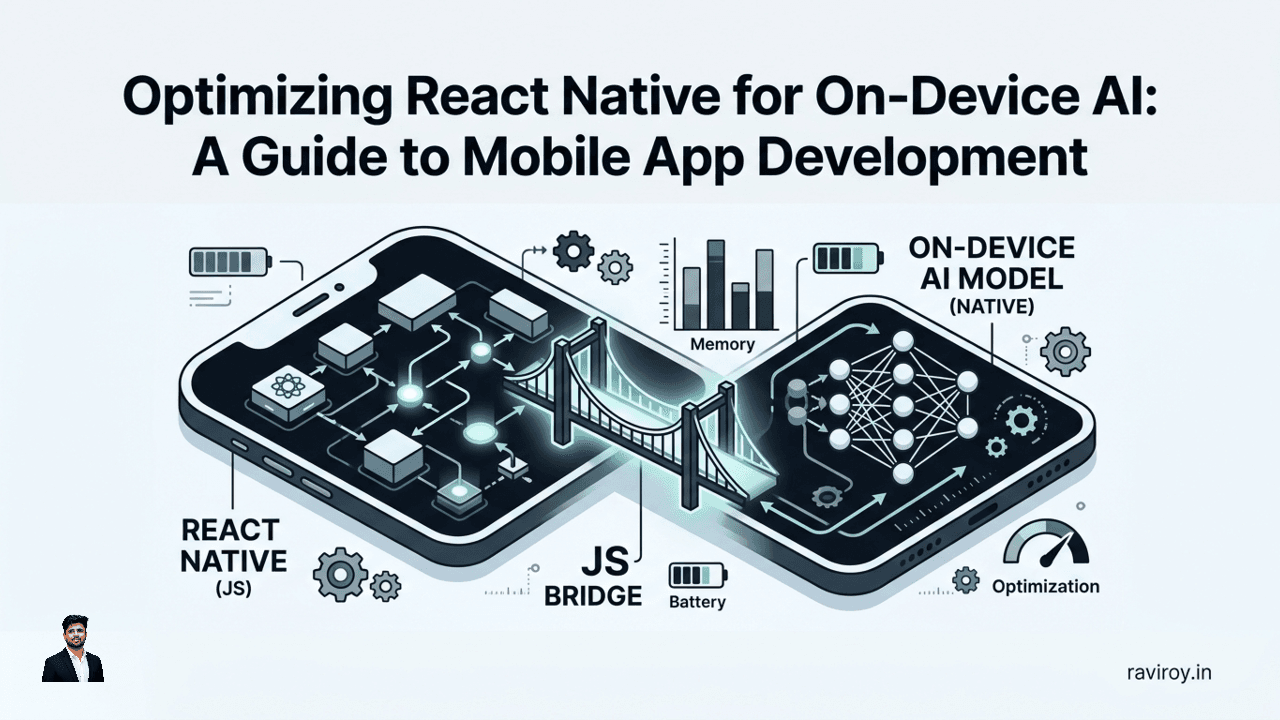
Imagine an app that understands your voice commands instantly, personalizes content without sending your data to the cloud, or analyzes images directly on your device, all while offline. This is the compelling promise of on-device AI for mobile applications, offering unparalleled privacy, minimal latency, and robust offline capabilities. For developers working with React Native, integrating powerful AI models directly into your app opens up a world of innovative features, but it's not without its unique challenges. The JavaScript bridge, memory constraints, battery drain, and the risk of UI blocking demand a thoughtful, optimized approach. This guide provides practical strategies for optimizing React Native for on-device AI, ensuring your mobile app development efforts result in high-performing, user-friendly experiences.
The Promise and Pitfalls of On-Device AI in React Native
On-device AI offers a trifecta of benefits that make it incredibly attractive for modern mobile apps: enhanced privacy, seamless offline functionality, and dramatically reduced latency. By processing data locally, apps can sidestep the privacy concerns associated with cloud-based AI, ensuring sensitive user information remains on the device. This also means your AI features work flawlessly even without an internet connection, a crucial advantage for many use cases. Furthermore, eliminating network round-trips for inference translates into near-instantaneous responses, providing a snappier, more engaging user experience.
However, bringing sophisticated AI to the mobile frontier, especially within the React Native ecosystem, introduces its own set of hurdles. The very architecture that makes React Native so productive—the JavaScript bridge—can become a bottleneck when dealing with heavy AI workloads, as data must constantly shuttle between JavaScript and native threads. Mobile devices also present strict limitations on memory, CPU, and battery life, which AI models, traditionally resource-hungry, can quickly exhaust. A poorly optimized implementation can lead to a sluggish UI, excessive battery consumption, and even app crashes, turning the promise of on-device AI into a frustrating user experience. Our focus throughout this guide will be on tackling these specific challenges with practical, effective optimization strategies.
Architecting for Performance: Beyond the JavaScript Bridge
The key to high-performance on-device AI in React Native lies in strategically moving compute-intensive tasks away from the JavaScript thread and minimizing bridge overhead.
Embracing React Native's New Architecture & JSI
React Native's new architecture, particularly the JavaScript Interface (JSI), is a game-changer for on-device AI. Unlike the old bridge-based architecture that serialized data between JavaScript and native threads, JSI allows direct communication. This means JavaScript can hold references to C++ objects and invoke methods on them directly, drastically reducing the overhead for frequent, large data transfers often associated with AI inference.
When you're dealing with live audio streams for speech recognition or video frames for object detection, JSI can make the difference between a fluid and a laggy experience. It enables tighter integration with native libraries, allowing AI models to run with minimal impedance from the JavaScript layer.
Native Module Excellence: Offloading Inference
For the heaviest AI inference tasks, such as running a complex neural network on a large image, native modules are indispensable. While JSI facilitates direct communication, wrapping your AI engine and model execution within a dedicated native module ensures that the computationally intensive work is performed efficiently on the native thread, completely separate from the JavaScript UI thread.
Here's a conceptual breakdown of a native module for AI inference:
// Android (Java) - Example Native Module
@ReactModule(name = MyAIModule.NAME)
public class MyAIModule extends ReactContextBaseJavaModule {
    public static final String NAME = "MyAIModule";
    private AIInferenceEngine aiEngine; // Your TensorFlow Lite, ExecuTorch, etc. engine

    public MyAIModule(ReactApplicationContext reactContext) {
        super(reactContext);
        // Initialize AI engine, load model here or lazily
        aiEngine = new AIInferenceEngine();
        aiEngine.loadModel(reactContext.getAssets(), "my_model.tflite");
    }

    @Override
    @NonNull
    public String getName() {
        return NAME;
    }

    @ReactMethod
    public void runInference(String imagePath, Promise promise) {
        // Run inference on a background thread
        new Thread(() -> {
            try {
                Bitmap image = BitmapFactory.decodeFile(imagePath);
                String result = aiEngine.predict(image); // Perform AI inference
                promise.resolve(result);
            } catch (Exception e) {
                promise.reject("INFERENCE_ERROR", e.getMessage());
            }
        }).start();
    }

    @ReactMethod
    public void unloadModel() {
        if (aiEngine != null) {
            aiEngine.unload(); // Release resources
            aiEngine = null;
        }
    }
}
The React Native JavaScript code would then call MyAIModule.runInference(imagePath) to trigger the native AI processing, receiving the result via a Promise. This design ensures that the JavaScript thread remains free to render the UI, preventing ANRs (Application Not Responding) and providing a smooth user experience.
Managing Model Lifecycles and Background Tasks
Effective model lifecycle management is crucial. Models, especially LLMs, can be massive. You don't want to load them all at app startup. Instead:
Lazy Loading: Load models only when they are explicitly needed for a specific feature.
User Opt-in: For large models, provide an explicit user prompt to download them over Wi-Fi, offering control and transparency.
Background Loading/Unloading: Perform model loading and unloading on a background thread or service. Avoid coupling AI work directly to React component lifecycles (e.g.,
useEffectwith heavy loading) as this can block the UI or cause issues on re-renders. A dedicated native service or a global singleton for your AI engine is often a better pattern.Resource Management: Ensure models are properly unloaded and resources are released when no longer needed, especially when the app goes to the background or a specific AI feature is exited.
Choosing Your On-Device AI Inference Engine
The choice of inference engine is paramount, dictating performance, ease of integration, and the types of models you can run. "Which is better for on-device AI in React Native: ExecuTorch, TensorFlow Lite, or ONNX Runtime?" is a common question, and the answer often depends on your specific needs and existing ecosystem.
TensorFlow Lite: The Established Player
TensorFlow Lite (TFLite) is Google's lightweight solution for on-device inference. It boasts extensive documentation, a mature ecosystem, and strong support for various mobile platforms. It's excellent for computer vision (image classification, object detection), speech processing, and traditional ML models.
Pros: Widespread adoption, strong community, many pre-trained models available, robust tooling for model optimization (quantization).
Cons: Primarily works with TensorFlow models; converting from other frameworks can sometimes be cumbersome.
React Native Integration: Typically via native modules (Android/iOS) that wrap the TFLite interpreter.
Use Cases: Image recognition, sentiment analysis, simple predictive models.
ExecuTorch: PyTorch's Mobile-First Solution
ExecuTorch is PyTorch's dedicated runtime for mobile and edge devices, offering a pathway to deploy PyTorch models efficiently on-device. It's designed for low-latency inference and aims to provide a consistent experience across different hardware.
Pros: Native PyTorch model support, strong focus on performance and resource efficiency, growing ecosystem for mobile PyTorch developers.
Cons: Newer compared to TFLite, community and tooling are still maturing, especially for React Native integration.
React Native Integration: Requires building custom native modules that link against the ExecuTorch libraries.
Use Cases: Deploying custom PyTorch research models, complex generative AI, models requiring dynamic graph execution.
ONNX Runtime & llama.cpp: Versatility and LLM Specialization
ONNX Runtime provides a high-performance inference engine for models in the Open Neural Network Exchange (ONNX) format. ONNX acts as an interoperable format, allowing you to train models in PyTorch, TensorFlow, or other frameworks and then convert them for ONNX Runtime.
Pros: Framework agnostic (supports models from various sources), good performance, actively developed.
Cons: Might involve an extra conversion step, native integration can be more involved.
React Native Integration: Custom native modules are required to integrate the ONNX Runtime C/C++ libraries.
Use Cases: Deploying models trained in diverse frameworks, scenarios where you need flexibility in model source.
llama.cpp is a standout for Large Language Models (LLMs) on resource-constrained devices. It's a C/C++ port of the LLaMA model inference, highly optimized for CPUs, and can run various LLM architectures (like LLaMA, Mistral, Gemma) efficiently on mobile.
Pros: Unmatched efficiency for LLMs on CPU, small memory footprint, active community, supports many popular LLM weights.
Cons: Primarily focused on LLMs; less general-purpose for other AI tasks.
React Native Integration: Very powerful when integrated via a native module, exposing its inference capabilities to JavaScript.
Use Cases: Localized chatbots, text summarization, content generation directly on the device.
There's currently limited comprehensive, public benchmark data comparing these engines specifically within a React Native context on diverse mobile hardware. For critical applications, independent testing on your target devices with your specific models is highly recommended to determine the optimal engine.
Model Optimization: Shrinking AI for Mobile
Even with the best architecture and inference engine, an unoptimized model will struggle on mobile. Model optimization techniques are essential to reduce size, speed up inference, and lower memory footprint.
Quantization: The Art of Precision Reduction
Quantization is the process of reducing the precision of the numbers used to represent a model's weights and activations, typically from floating-point (FP32) to lower-bit integers (e.g., INT8, INT4). This dramatically shrinks model size and can significantly speed up inference by allowing for more efficient integer arithmetic on mobile CPUs and GPUs.
FP32 (Full Precision): The default for training, offers highest accuracy.
INT8 (8-bit Integer): Common for mobile. Reduces model size by 75% (from FP32) and offers substantial speedups with minimal accuracy drop.
INT4 (4-bit Integer): More aggressive quantization, further size reduction and speedup, but higher risk of accuracy degradation.
Mixed-Precision: Uses different precision levels for different parts of the model, balancing accuracy and performance.
"How do you quantize an LLM for React Native mobile apps?"
Quantizing an LLM for mobile involves a similar process but often requires more careful consideration due to their size and complexity. Frameworks like llama.cpp inherently support various quantization levels (e.g., GGUF format with Q4_K_M, Q5_K_M, Q8_0 quantizations) designed for CPU inference. For general LLMs, the steps typically involve:
Calibration Dataset: For post-training quantization, you'll need a representative dataset to calibrate the quantization process, minimizing accuracy loss.
Tooling: Use tools provided by your framework (e.g., TensorFlow Lite converter's
post_training_quantizefor TFLite,torch.quantizationfor ExecuTorch, or model-specific tools for GGUF).Evaluation: Crucially, evaluate the quantized model's performance and accuracy on a validation dataset to ensure it still meets your requirements. Aggressive quantization can lead to "hallucinations" or reduced quality in LLMs.
Conversion: Convert the quantized model to the target inference engine's format (e.g., TFLite, ONNX, GGUF).
Pruning and Distillation: Smaller, Faster Models
Beyond quantization, other techniques further reduce model size and complexity:
Pruning: Eliminates "unimportant" connections (weights) in the neural network, making the model sparser. This can reduce computation and storage without significant accuracy loss.
Distillation: Involves training a smaller "student" model to mimic the behavior of a larger, more complex "teacher" model. The student learns to produce similar outputs, but with fewer parameters, making it faster and smaller for deployment.
Memory Budgeting and Pre-flight Checks
Before deploying any model, establish a strict memory budget. Large models can quickly exhaust device RAM, leading to crashes.
Pre-flight Checks: Before loading a model, check available memory. If insufficient, inform the user or defer loading.
Model Size Verification: When models are downloaded over the air, verify their size against an expected maximum.
Shipping Model Files:
Bundling: For smaller, stable models, bundle them directly with the app. This ensures offline availability immediately.
Over-the-Air Updates (OTA): For larger models or models that evolve frequently, download them dynamically. Implement robust update mechanisms, including versioning and rollback strategies in case a new model causes issues. Store downloaded models securely on the device.
Smooth User Experience: Keeping the UI Responsive
A well-optimized AI model is useless if its execution freezes the user interface. Prioritizing UI responsiveness is paramount.
Asynchronous Operations and Thread Management
"How do you keep on-device AI from blocking the React Native UI thread?"
The golden rule is: never perform AI inference on the main (UI) thread. React Native's UI is single-threaded. Any long-running operation on this thread will cause the app to freeze, leading to a poor user experience and potential "Application Not Responding" (ANR) errors on Android.
Native Module Background Threads: As discussed, encapsulate your AI logic within native modules that explicitly run inference on a dedicated background thread (e.g., using
AsyncTask,IntentService,Workeron Android; Grand Central Dispatch orOperationQueueon iOS). The native module then sends the result back to JavaScript via callbacks or Promises.// JavaScript calling the native module import { NativeModules } from 'react-native'; const { MyAIModule } = NativeModules; async function processImageWithAI(imagePath) { try { const result = await MyAIModule.runInference(imagePath); console.log('AI Inference Result:', result); // Update UI with result } catch (error) { console.error('AI Inference Error:', error); // Handle error, show user feedback } }
Streaming AI Responses for Perceived Speed
"What are best practices for streaming AI responses?"
For tasks like real-time speech recognition or LLM text generation, you don't want to wait for the entire output before showing anything. Streaming results provides immediate feedback, significantly improving perceived performance.
Chunking Output: If your AI model can generate output in chunks (e.g., word by word, sentence by sentence for LLMs), send these chunks back to the JavaScript side as they become available.
Native Callbacks: Native modules can use callbacks to send partial results to JavaScript.
// Android (Java) - In MyAIModule's runInference method
// ... inside your background thread ...
while (aiEngine.hasMoreOutput()) {
    String partialResult = aiEngine.getPartialOutput();
    getReactApplicationContext()
        .getJSModule(DeviceEventManagerModule.RCTDeviceEventEmitter.class)
        .emit("onAIResultStream", partialResult);
    // Add a small delay if needed to prevent overwhelming JS thread
}
// ... then resolve the promise with final result ...
// JavaScript listening for streamed results import { NativeEventEmitter, NativeModules } from 'react-native'; const { MyAIModule } = NativeModules; const aiEventEmitter = new NativeEventEmitter(MyAIModule); let streamedOutput = ''; const subscription = aiEventEmitter.addListener( 'onAIResultStream', (partialResult) => { streamedOutput += partialResult; // Update your React Native UI to show streamedOutput console.log('Streamed:', streamedOutput); } ); // Don't forget to remove the listener when component unmounts // subscription.remove();UI Updates: On the React Native side, append these streamed chunks to a display element (e.g., a
Textcomponent) as they arrive.
Error Handling and User Feedback
Robust error handling and clear user feedback are critical.
Graceful Degradation: If AI processing fails (e.g., model not loaded, inference error), provide a fallback or inform the user, rather than crashing.
Progress Indicators: For tasks that take more than a few milliseconds, display loaders, progress bars, or "thinking" animations.
Informative Messages: If a model download fails, explain why (e.g., "Network error, please try again," "Not enough storage").
Timeouts: Implement timeouts for inference operations to prevent indefinite waits.
Profiling and Monitoring: Benchmarking for Success
Optimization is an iterative process driven by data. Without proper profiling and monitoring, you're optimizing blind.
Latency and Throughput Measurement
"How do you profile latency and memory for React Native on-device inference?"
Latency: Measure the time taken for an inference request from initiation (on the native side) to result delivery back to JavaScript. Use native timing APIs (e.g.,
System.nanoTime()on Android,CFAbsoluteTimeGetCurrent()on iOS) within your native module.// Android (Java) - Snippet for latency measurement long startTime = System.nanoTime(); // ... perform inference ... long endTime = System.nanoTime(); long durationMillis = (endTime - startTime) / 1_000_000; Log.d(NAME, "Inference took " + durationMillis + " ms");Expose these metrics back to JavaScript or log them for analysis.
Throughput: For continuous tasks (e.g., processing video frames), measure the number of inferences per second (FPS).
Memory and Battery Footprint Analysis
AI models consume memory and processing power, which directly impacts battery life.
Memory:
Android Studio Profiler: Use the Memory Profiler to track heap usage, native allocations, and identify memory leaks during AI operations.
Xcode Instruments (Allocations/Leaks): On iOS, Instruments provides detailed insights into memory usage.
Native API Calls: You can also query system memory usage from native modules to get approximate figures.
Battery:
Android Studio Energy Profiler: Track CPU, network, and location usage to identify high battery consumption.
Xcode Instruments (Energy Log): Monitor CPU activity, network, and location to find energy hotspots on iOS.
Manual Testing: Perform repeated AI tasks on various devices and monitor battery drain over time.
Focus on memory spikes during model loading and sustained memory usage during inference. Ensure models are unloaded when not in use to free up memory.
Reproducible Testing on Diverse Devices
Mobile device fragmentation means performance varies wildly.
Test on Low-End Devices: Always test on older, budget Android phones and base-model iPhones. If your app performs well there, it will likely excel on higher-end devices. This also helps identify memory limitations.
Automated Performance Tests: Integrate performance measurement into your CI/CD pipeline. Run automated tests that execute AI inference tasks and collect latency, memory, and CPU metrics. Compare results against baselines to catch performance regressions early.
Simulate Real-World Conditions: Test with varying network conditions (if models are downloaded), background app activity, and different device temperatures.
Optimizing React Native for on-device AI is a nuanced but incredibly rewarding endeavor. By focusing on smart architecture, efficient inference engines, aggressive model optimization, responsive UX, and rigorous profiling, you can unlock the full potential of local AI, delivering innovative, private, and lightning-fast experiences to your users.
What's one on-device AI optimization technique that significantly improved your React Native app's performance or user experience? Share your insights and challenges in the comments below!
💬 Join the conversation — share your take in the comments and tell us what you’d add.