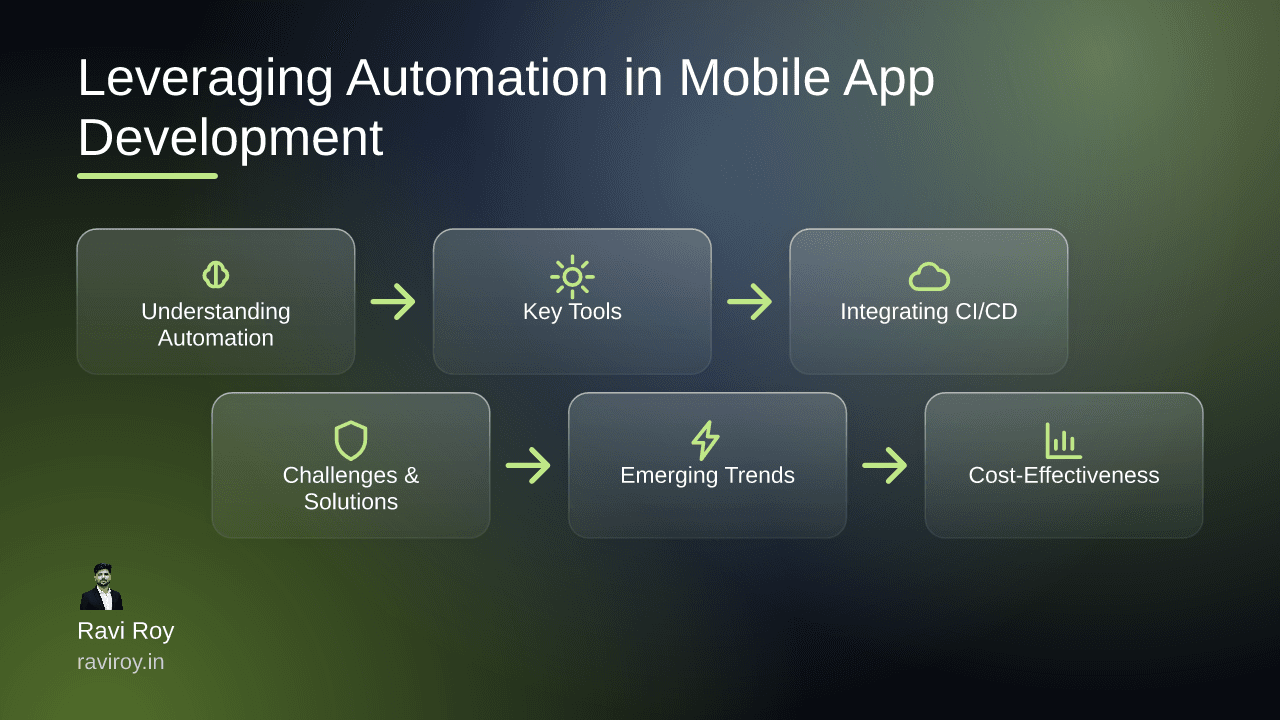
Understanding Automation in Mobile App Development
Automation in mobile app development is a game-changer. It streamlines processes, enhances productivity, and minimizes errors—allowing developers to focus on innovation rather than repetitive tasks.
What is Automation?
Automation refers to the use of technology to perform tasks without human intervention. In the context of mobile app development, it encompasses various processes, including code integration, testing, and deployment. By employing automation tools, developers can set repetitive tasks to run independently, fostering a more efficient workflow.
Benefits of Automating Development Processes
The benefits of automating development processes are manifold:
Increased Efficiency: Automated processes can run 24/7, significantly speeding up development cycles.
Reduced Errors: By minimizing human involvement in repetitive tasks, automation lowers the likelihood of mistakes. In fact, reports show that automation can reduce errors by up to 80% in testing scenarios.
Alignment with KPIs: Automation's efficiency directly contributes to key performance indicators (KPIs) such as time-to-market and application performance metrics (source).
Key Tools for Automation in Mobile App Development
When it comes to tools for automation, a few stand out in the mobile app development landscape.
CI/CD Tools
Continuous Integration and Continuous Deployment (CI/CD) tools are pivotal for automating the software release process. Tools like Jenkins, CircleCI, and Github Actions help integrate code changes automatically and deploy them without manual intervention.
Jenkins: Known for its rich plugin ecosystem and flexibility, Jenkins enables automatic builds and testing across multiple environments.
CircleCI: This tool provides seamless integration with various version control systems, offering improved workflow for continuous deployment.
AI-Enhanced Testing Utilities
Artificial Intelligence is transforming the quality assurance landscape. Tools like Testim and Applitools leverage AI to enhance testing accuracy.
Testim: Offers a unique feature with its self-healing capabilities, allowing existing tests to adapt to changes in the UI.
Applitools: Focuses on visual testing, ensuring that UI components render as expected across devices.
Integrating CI/CD into Mobile App Automation
Integration of CI/CD into mobile app automation is essential for achieving seamless deployments.
Understanding Continuous Integration/Continuous Deployment
CI/CD frameworks automate the integration of code changes and streamline delivery through automated build and test processes. The primary goals of CI/CD are to minimize deployment risks and enhance application quality.
Step-by-Step Integration Process
Choose a CI/CD Tool: Select a tool that best fits your team's needs (e.g., Jenkins, CircleCI).
Set Up Version Control: Utilize Git for managing code versions and collaborating on development.
Configure Automations:
Write build scripts to automate testing.
Define deployment pipelines for various environments.
Monitor and Iterate: Continuously monitor performance and adjust automation workflows as necessary, ensuring alignment with team processes.
Example Setup
For a typical setup using Jenkins, follow these steps:
# Install Jenkins
sudo apt-get update
sudo apt-get install jenkins

# Start Jenkins service
sudo systemctl start jenkins

# Access Jenkins setup wizard via localhost:8080
Common pitfalls to avoid include not having clear environment configurations and neglecting code reviews.
Challenges and Solutions in Automation Testing
While automation is beneficial, it also comes with challenges.
Common Challenges
Test Maintenance: As applications evolve, maintaining automated tests can become burdensome.
Initial Setup Complexity: Creating a robust automation framework can be resource-intensive.
Integration Issues: Ensuring that all tools work together seamlessly is often a pain point.
Effective Strategies to Overcome Hurdles
Modular Testing Frameworks: Adopt a modular approach to design test cases that are easy to maintain and update.
Documentation and Training: Equip teams with resources and training to familiarize them with automation tools.
Maintain Flexibility: Ensure your automation framework can adapt as requirements change, allowing for agile adaptations.
Emerging Trends in Automation for Mobile Apps
Keeping abreast of evolving trends is crucial for staying competitive in mobile app development.
AI-Augmented Testing Tools
AI's influence in automation continues to grow, with tools using machine learning algorithms to optimize testing processes. These AI tools can predict test failures based on historical data, enhancing test coverage.
Self-Healing Test Scripts
Self-healing test scripts adapt to changes in the application automatically. When a test fails due to minor UI changes, the self-healing script recognizes the change and adjusts its parameters without manual intervention—saving time and effort.
Case Studies: Success Stories in Automation
Real-world applications of automation illuminate its value.
Study 1: Small Business Innovations
A local e-commerce startup integrated automated testing with CI/CD. They saw a 40% reduction in testing time and improved deployment frequency, leading to a significant increase in their market responsiveness.
Study 2: Large Enterprise Transformations
A global financial services company adopted an end-to-end automated pipeline. By reducing manual processes, they achieved a 60% decrease in deployment errors, streamlining their compliance processes and minimizing risks.
Cost-Effectiveness of Automation Tools
Understanding the financial implications of automation is key to making informed decisions.
Evaluating the Costs
Initial costs can seem daunting, especially for small teams; however, evaluating long-term benefits is crucial. A breakdown of costs versus savings indicates that investing in automation often leads to reduced labor costs and faster development cycles.
Long-Term Savings from Automation
According to industry data, companies that invest in automation tools can expect an ROI of 200% over three years due to lower operational costs and increased output.
Conclusion
As the demand for efficient mobile app development grows, leveraging automation becomes imperative. By implementing best practices and utilizing the right tools, you can enhance productivity, reduce errors, and ultimately drive success in your projects.
What challenges have you faced in integrating automation into your mobile app development, and what insights do you have to share?
💬 Join the conversation — share your take in the comments and tell us what you’d add.