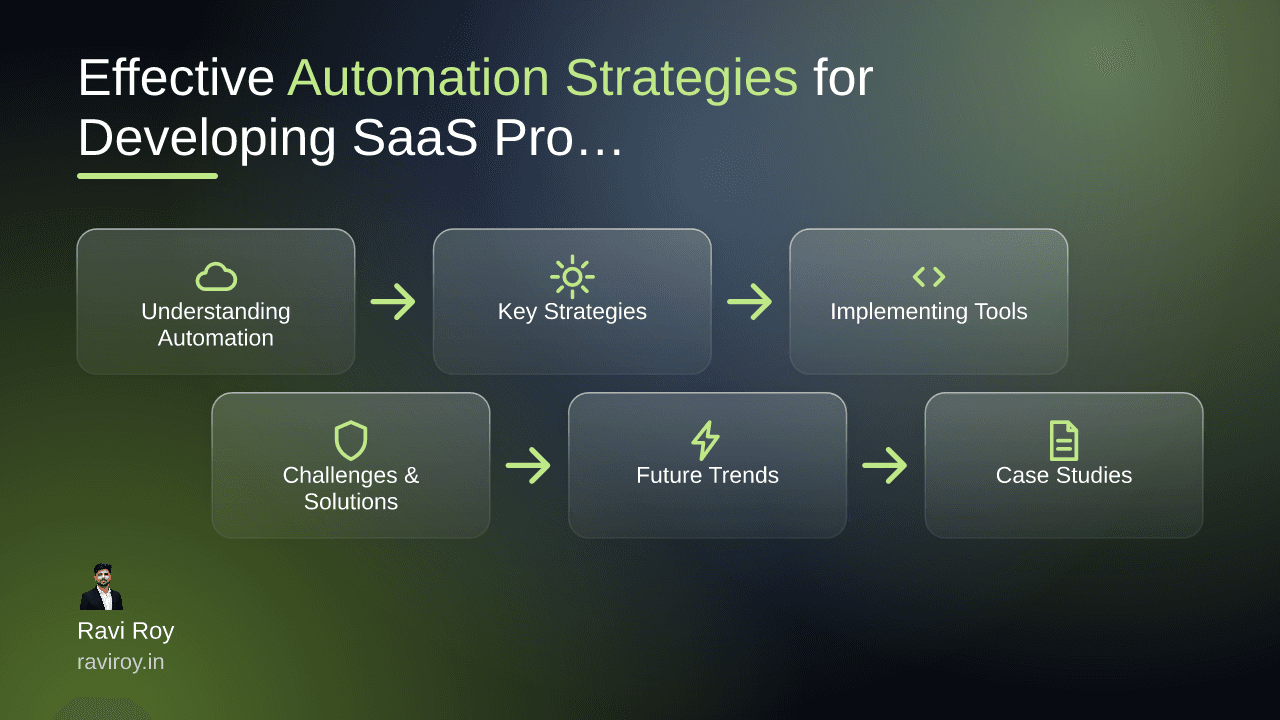
Understanding Automation in SaaS
Automation is no longer a luxury; it's a necessity for businesses looking to thrive in the competitive SaaS landscape. By automating key processes, you can streamline development cycles, minimize human error, and ultimately deliver a superior product to your users.
Defining Automation in the Context of SaaS
In the realm of Software as a Service (SaaS), automation refers to the tools, techniques, and practices that reduce the need for human intervention in repetitive tasks. This encompasses everything from automated testing and deployment workflows to data integration and user support workflows. The focus is on making processes quicker, more efficient, and less prone to error.
Benefits of Automation for SaaS Development
The benefits of automation in SaaS development are manifold:
Increased Productivity: Automation simplifies repetitive tasks, allowing your team to focus on higher-level strategic initiatives instead.
Faster Time-to-Market: By automating stages of the development cycle, such as testing and deployment, teams can roll out new features and updates faster than ever.
Enhanced User Experience: Seamless integrations through automation can lead to a smoother user experience, as users benefit from quicker response times and greater reliability.
Key Strategies for Automation in SaaS Development
To fully leverage the power of automation in your SaaS development processes, consider implementing these key strategies:
Leveraging CI/CD for Faster Deployments
Continuous Integration (CI) and Continuous Deployment (CD) are essential for modern SaaS applications. CI/CD pipelines automate the testing and deployment processes, ensuring that code changes are quickly verified and rolled out.
Step-by-Step Implementation:
Set Up a Source Control System (e.g., Git): Ensure all code changes are tracked.
Choose CI/CD Tools (e.g., Jenkins, CircleCI): Integrate with your source control for automatic builds and tests.
Automate Testing: Write unit and integration tests that run with every deployment.
Deploy Automatically: Automate the deployment process to multiple environments to minimize errors.
Integrating APIs for Enhanced Functionality
APIs (Application Programming Interfaces) are crucial for enabling seamless communication between your SaaS application and other applications or services. They empower different systems to interact without requiring manual input.
Practical Application:
Choosing the Right APIs: Integrate popular APIs like Stripe for payment processing or Twilio for messaging. Review their documentation for best practices on implementation.
Test API Interactions: Use tools like Postman to simulate and test API calls before going live, ensuring your integrations work as expected.
Utilizing No-Code Solutions for Rapid Prototyping
The rise of no-code platforms has revolutionized the way SaaS products can be quickly developed and tested. These platforms enable teams to create functional prototypes without writing extensive code.
How to Implement No-Code Solutions:
Select a No-Code Platform (e.g., Webflow, Bubble): Choose one that fits your project requirements.
Draft Your Workflow: Map out the user journey and functionalities.
Build and Iterate: Use drag-and-drop features to design your application, and gather user feedback to refine it.
Implementing Automation Tools
Choosing the right tools and best practices can be a game changer for your automation efforts.
Choosing the Right Tools
Selecting automation tools that align well with your tech stack is critical. Popular tools like Jenkins for CI/CD and Zapier for task automation can be highly effective.
Tool Evaluation Steps:
Assess Integration Capabilities: Ensure the tool can connect with your existing software.
Review Community Support: A tool with robust community backing can be beneficial for troubleshooting.
Best Practices for Implementation
Starting small with pilot projects allows teams to test and refine their automation strategies before scaling.
Implementation Steps:
Pilot Project: Choose a specific process to automate.
Feedback Loop: Regularly gather input from the team to identify pain points.
Scale Gradually: Once the pilot is successful, expand automation to other areas.
Measuring Automation Success
To gauge the effectiveness of your automation initiatives, utilize key performance indicators (KPIs).
Suggested Metrics:
Speed of Deployment: Track the time taken from code commit to deployment.
User Satisfaction: Conduct regular surveys to gauge user feedback post-automation.
Challenges and Solutions in Automation
While automation offers many advantages, it’s essential to acknowledge and address the challenges that may arise.
Overcoming Resistance to Automation
Resistance from team members can pose a significant challenge. Engaging teams early in the process can minimize pushback.
Engagement Strategies:
Workshops: Conduct sessions to explain the benefits and opportunities automation presents.
Pilot Programs: Involve team members in pilot projects to demonstrate value hands-on.
Dealing with Integration Issues
Integration issues often arise during the implementation of automated systems.
Solutions:
Thorough Testing: Allocate ample time for testing integration points between different systems.
Fail-Safe Mechanisms: Develop fallback options that allow for human intervention if something goes wrong.
Maintaining Human Oversight
Despite the efficiency automation brings, it’s crucial to retain human oversight in critical areas.
Best Practices:
Regular Check-ins: Establish routine reviews of automated processes.
Fallback Procedures: Always have a manual override option where necessary.
Future Trends in Automation for SaaS
The landscape of automation in SaaS is evolving rapidly. Staying informed about these trends can give your business a competitive edge.
AI and Machine Learning Enhancements
AI and machine learning are set to enhance the capabilities of automation dramatically. They enable advanced data analytics and personalized user experiences.
Implementation Insight:
Data Analysis: Implement machine learning algorithms to analyze user behavior for better decision-making.
Increasing Role of Cloud Automation
Cloud platforms are now offering increasingly robust automated services, making it easier for teams to implement automation across different environments.
The Shift Towards Hyper-Automation
Hyper-automation moves beyond basic automation goals, incorporating advanced technologies to redesign entire processes.
Key Focus Areas:
Identify Processes: Map out all stages in your workflow that can benefit from further automation.
Technology Integration: Explore technologies like RPA (Robotic Process Automation) to enhance your automation efforts.
Case Studies: Successful Automation in SaaS
Real-world examples can illuminate effective automation strategies. Here’s how specific companies have successfully implemented automation.
Company A: Accelerating Development with CI/CD
Company A adopted CI/CD, resulting in a significant reduction in deployment time. Metrics indicate that they achieved a 40% faster release cycle in six months.
Company B: User Experience Enhancement through APIs
By integrating various APIs, Company B improved user engagement by 30%, as users now enjoyed a more streamlined experience with real-time updates.
Engaging Your Team in Automation
To maximize the effectiveness of automation, engaging your team is essential.
Training and Support for Automation Tools
Regular training sessions keep your team abreast of the latest tools and best practices.
Fostering a Culture of Continuous Improvement
Encourage team feedback and suggestions to adapt and enhance automation efforts continually.
As you explore these automation strategies, consider your own experiences with implementing automation in SaaS. What specific strategies have you employed, and what results did you witness?
💬 Join the conversation — share your take in the comments and tell us what you’d add.